Tracking your energy consumption is a smart move to control your energy costs. Fortunately, there are many practical solutions available today: with or without a smart meter...
All your appliances are off, but your consumption is still high? Knowing your consumption in real time can help you identify the devices on stand-by that are wasting energy unnecessarily. No more nasty surprises on your invoice!
Are you cooking, charging your electric vehicle and running the air conditioning at the same time? By tracking your daily consumption, you can assess the impact of your various devices on your consumption.
You've just installed solar panels and you're wondering how much you'll actually be injecting at noon on a sunny day? Energy tracking dashboards can answer this question. Easy to set up thanks to the smart meter's P1 port, they provide a detailed view of your consumption and injection throughout the year.
In real time
Via your smart meter's P1 port
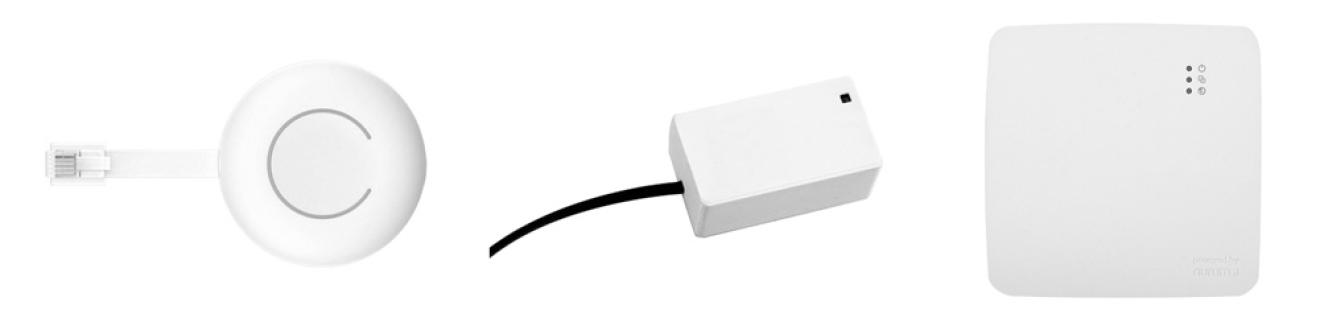
The smart meter is equipped with a customer port, the P1 port, which allows you to connect your own energy management systems, or CEMS (Customer Energy Management System).
Energy management systems enable you to track your consumption in real time, as well as your consumption history. In some cases, they can also be used to track your injections, or to automate when certain appliances are switched on.
In practical terms, these are accessories or devices that can be connected to the smart meter's P1 port, usually coupled with an app or online portal.
With or without a monthly subscription
Some manufacturers offer specific features that may be of interest in your situation. Bear in mind, however, that these systems sometimes require a monthly subscription fee.
If you want to keep track of your consumption for a lower cost, choose open source systems that don't require a monthly subscription.
Do I need to activate the P1 port?
That depends on the region where you live:
- In Flanders and Wallonia, you will need to explicitly request for your smart meter's P1 port to be activated.
- In Brussels, the P1 port is activated by default. So there's no need to request its activation.
Good to know : Most energy management systems require a Wi-Fi connection in the room where the electricity meter is located.
Alternatives to the P1 port
Instead of the P1 port, some systems use a sensor that is fitted over the smart meter's LED consumption indicator.
On a conventional electromechanical meter, sensors can be fitted above the rotating disc. There are also similar solutions for tracking your gas or even water consumption.
Direct reading on the smart meter display
Want to simply check your electricity consumption at a specific moment from time to time, without extra equipment or an app? With a smart meter, that's easy..
Via the various display codes on the smart meter's screen, you can access detailed information on your consumption.
- Code 1.7.0: your current consumption.
- Code 2.7.0: your real-time injection (if you're injecting energy).
- Code 2.8.0: your total injection.

Automatically day by day
Via your network operator's app
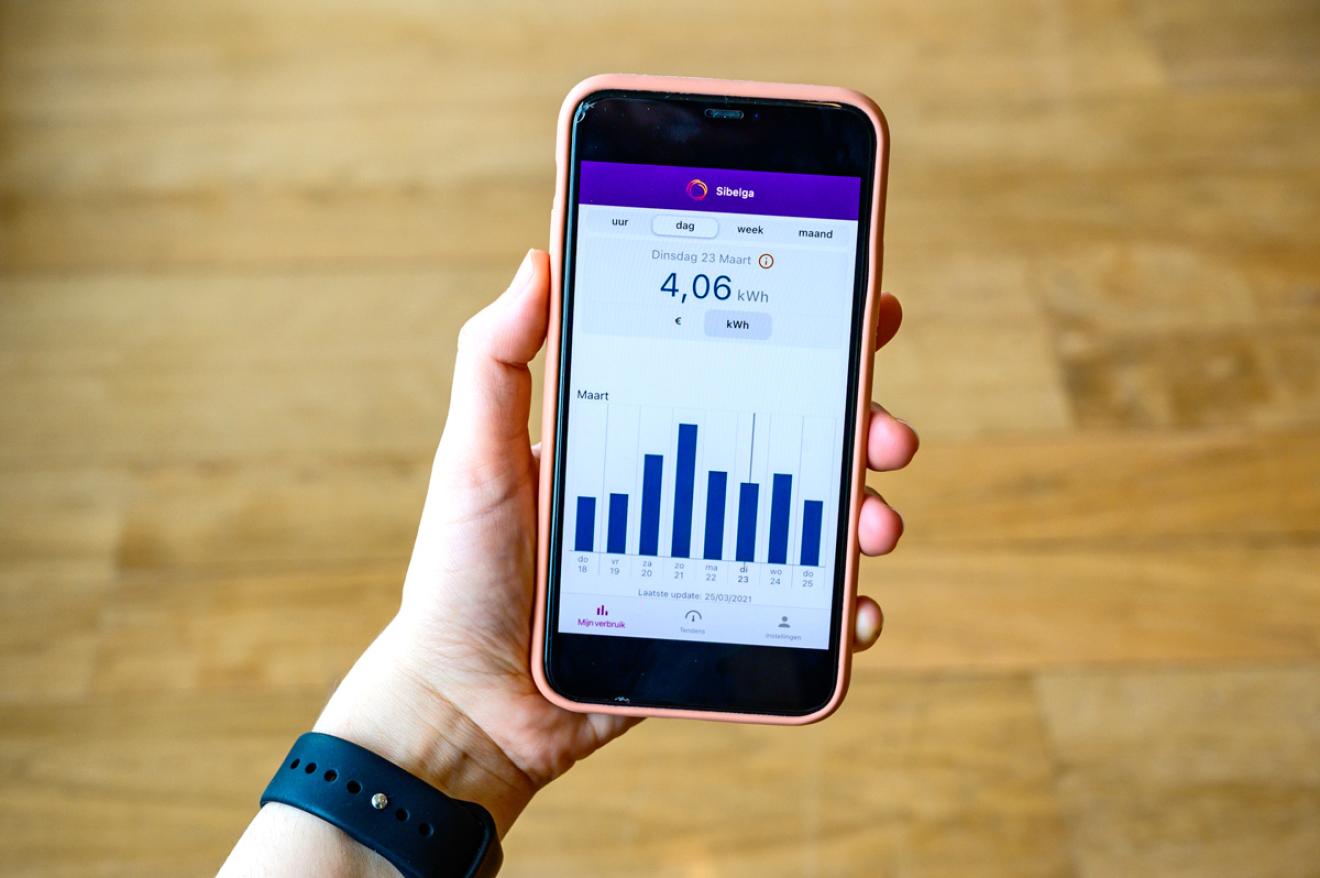
If you have a smart meter, you can also use your network operator's portal or app to find out the current status of your electricity consumption. In Brussels, the My Sibelga app allows you to:
- Track your consumption for free.
- View your consumption in the form of graphs by month, day and quarter of an hour.
- Find out about any injections you make/
- Compare your actual consumption with your expected consumption.
Via your energy supplier's app
Often, energy suppliers allow you to connect the smart meter to their own app. The disadvantage of this is that if you change supplier, you'll also have to change apps.
Manually day by day
With a conventional electromechanical meter
For a single-hourly meter, the solution is simple: read the index on the dial today, then read it again tomorrow. The difference between the two readings will give you your daily consumption.
If you have a dual-hourly meter, proceed in the same way for each dial:
- The one with a small sun = daytime hours.
- The one with a moon = night-time hours.
This will give you a breakdown of your consumption by time slot.
How is my electricity consumption calculated
Traditional or smart meter? Learn how to read your meter and how your consumption is calculated so you never face another surprise on your bill!
With a smart meter
Smart meters make this task even easier.
- To track your total consumption, simply use display code 1.8.0 to read your index today, and then again tomorrow. The difference between the two will give you your daily consumption.
- If you want to track the details for your peak hours and off-peak hours, use display codes 1.8.1 (for peak hours) and 1.8.2 (for off-peak hours).

Via the EnergyID online portal
The social cooperative EnergyID enables you to consolidate your electricity consumption as well as your consumption of any other energy into a single tool. You can manually enter your monthly meter readings or even connect your smart meter directly.
Track your energy and save!
Whether you use an energy management system, an app or Excel files, regularly tracking your consumption will help you avoid any surprises when you come to your adjustment.